Write your message.
Type with Tap My Words in the app you are already using.
 Tap My WordsTranslation keyboard
Available on the App Store · iPhone translation keyboard
Keep the conversation going.
Write in English or Korean. Preview the translation. Tap to replace.
iPhone · iOS 26 or later
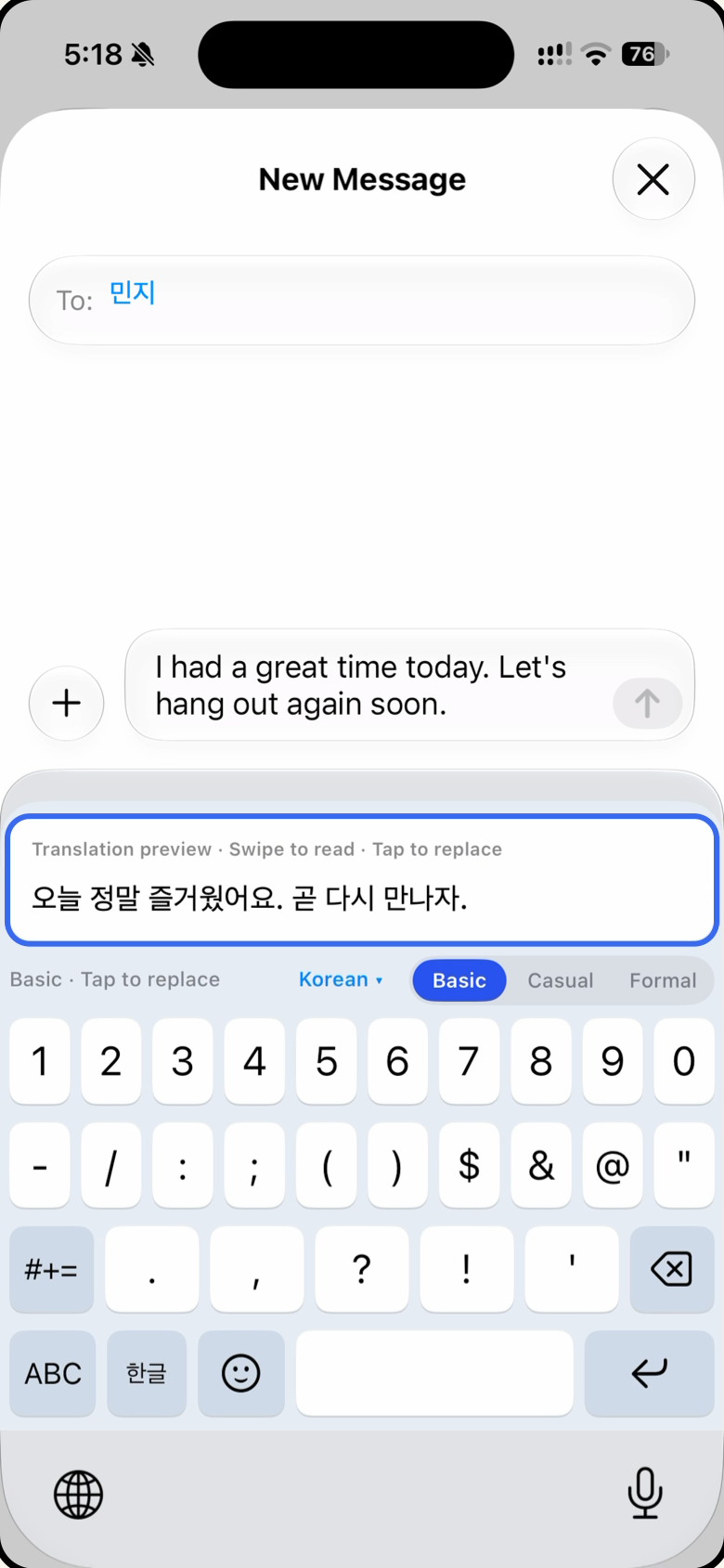
Tap the preview to replace your draft.
Actual screen recording · You choose when to send.
Launch offer · 3 days free
Use TAP3DAYS for 3 free days of unlimited tap replacements.
Ends without automatic renewal or an automatic charge.
New and lapsed subscribers · Once per Apple Account · 1,000 total redemptions
Redeem before November 30, 2026, at 12:00 a.m. Pacific Time. Subject to availability.
Available where the app is sold. Apple may require a payment method. Check the terms on Apple’s redemption screen.
Spend less time switching apps.
More time having a conversation.
WRITE. TAP. READY.
Use the English or Korean keyboard.
Choose a supported target language and keep your conversation moving.
Type with Tap My Words in the app you are already using.
The translation preview updates as you type. Tap it to replace your draft in the same text field.
Check the translated message, then press Send in your messaging app. Tap My Words never sends it automatically.
Actual iPhone screen recording
Your translation is more than a preview.
One tap applies it to the message you are writing.
Actual screen recording: English to Korean.
Screens were captured in the app. Interface details may vary by version.
See it in 15 seconds
01 / English to Korean
Watch an actual message being typed in English, previewed in Korean, and replaced with one tap.
A 15-second video with an actual app recording.
Tapping replaces your draft. You still press Send yourself.
A quick visual guide
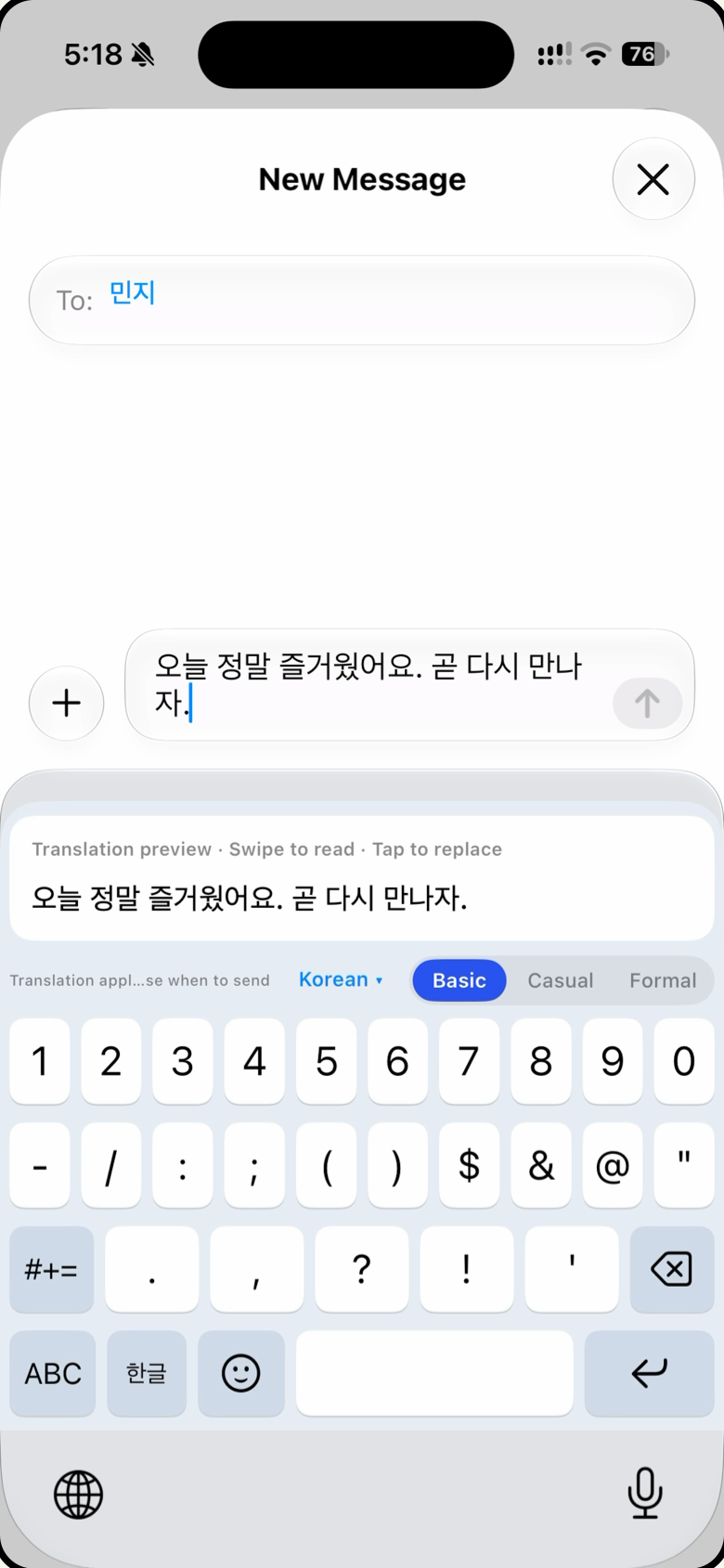
Swipe through the cards. Actual app captures are used; interface details may vary by version.
For everyday conversations
Keep the conversation going when you speak different languages.
Ask what you need to ask, in a language you are comfortable writing.
Focus on what you want to say.
Set up once
You enable the keyboard and its permissions yourself.
Follow the setup steps inside the app.
Switch to the Tap My Words keyboard in your chat, choose a target language, and type your reply. The translation appears above the keys. Tap the preview once to replace your draft in the same text field. See how to set up the keyboard
No. Tapping the translation replaces your draft in the same text field. You press Send or Submit yourself in the app you are using.
Not for basic translation. Casual and formal tone options use Apple Intelligence and require a compatible device, the feature enabled, and the model ready. Availability varies by language, region, and device.
Requires iOS 26 or later. Secure fields and apps that block third-party keyboards are not supported. The amount of text that can be replaced may depend on the host app.
Tap My Words is available on the App Store. Use the download buttons on this page. Availability depends on your Apple Account’s storefront.
Translation previews and ordinary typing are free. You get 5 successful tap replacements per day across all supported language directions. Failed or no-change taps do not count. The daily allowance resets at midnight UTC.
Tap My Words processes your text on your device and does not send it to an external translation server operated by us. Full Access is currently required for translation and for sharing settings and entitlement status between the app and keyboard. The permission warning is a standard iOS message. Read the privacy policy
Choose what fits your conversations
5 successful tap replacements per day · All supported language directions
7-day pass
For a short trip or a first try
Monthly subscription
For your everyday conversations
Annual subscription
For conversations all year round
Prices shown are for the South Korean and Australian App Stores. Other storefronts have their own prices and currencies. Your Apple Account’s storefront determines billing. Check Apple’s purchase confirmation for the final price.
The 7-day pass lasts 7 days from purchase and does not renew. Monthly and annual subscriptions renew automatically unless cancelled in your Apple Account subscription settings. AI tone options require a supported device with Apple Intelligence enabled and its model ready.
Tap My Words
Available now on the App Store.
iPhone · iOS 26 or later